Very cool, Google is adding ski slopes to Google Maps. You can see the slopes that they have already added here.
Very cool, Google is adding ski slopes to Google Maps. You can see the slopes that they have already added here.
Spiceworks is a free piece of software I have been using for a while now that can monitor your network. The software runs on a Windows server however you can access the website interface from anywhere.
Spiceworks allows you to create alerts on many things on your network that can email you and let you know if there are problems. You can create alerts if a server or network device is offline. You can also create alerts if one of your printers is getting low on toner.

Creating alerts in Spiceworks
Spiceworks also has a user portal which allows your users to be able to submit trouble tickets if they are having problems with their computers. The user portal is totally customizable in the back end and you can add anything to it.
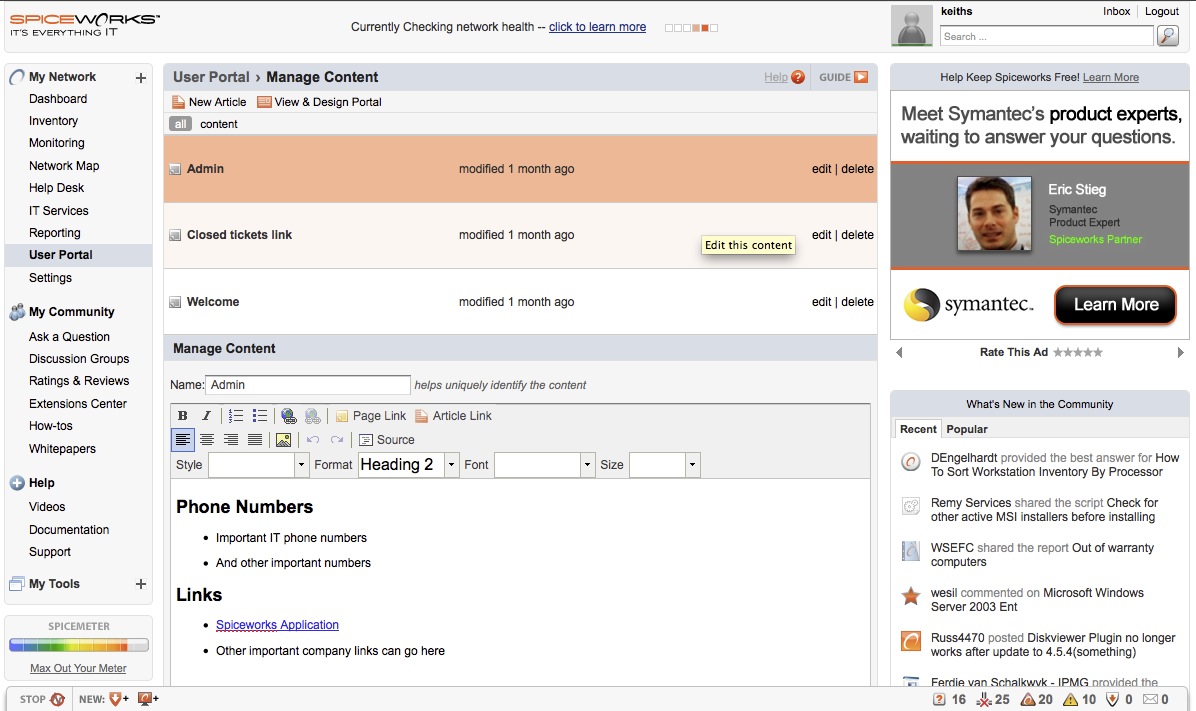
Manage User Portal Content in Spiceworks
Spiceworks has a great reporting tool. You can get reports on all software installed on the computers, disk usage, RAM, CPU and more. The reports are also customizable so you can make you own.
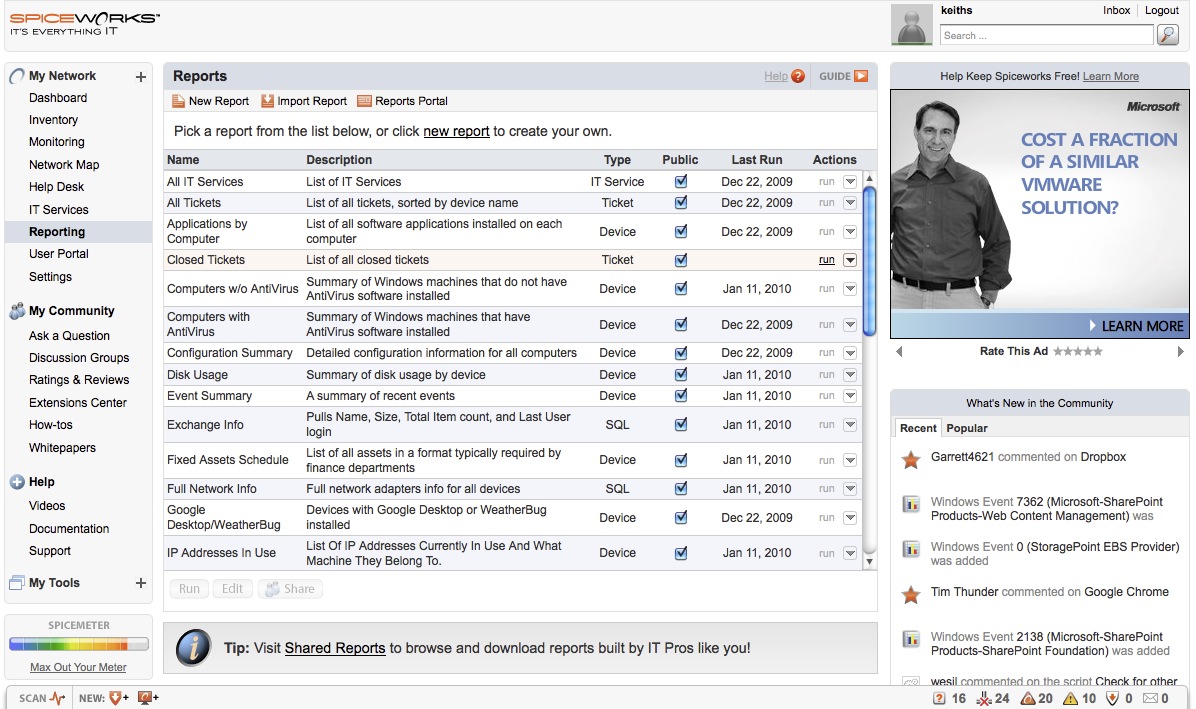
Spiceworks Reports
If you click on a specific device in Spiceworks, you can get all of the information on that device including, what antivirus is installed, how much free hard drive space, how much memory and a lot more.
So if you are looking for a network monitoring tool, I would definitely check out Spiceworks.

123CopyDVD
If you are like me, you like to make backup copies of your DVDs in order to make sure nothing happens to the originals. Unfortunately a lot of the DVD copying software that is available is buggy or doesn’t make copies of most DVDs. I have many different pieces of software and none of them are perfect however I have found one piece of software that is close, 123CopyDVD. I have been using this software for a few months now and haven’t had any problems. So if you are looking for a great program to copy DVD’s, give 123CopyDVD a try.
Download a free trial from www.123copydvd.com
Update 7-23-2012
I stopped using the method below. It works but it’s clunky. If you want a free way to automatically create Outlook signatures, read below. If you are fine with paying for a solution. Check out Mail Disclaimers. It’s a great piece of software I have been running for about a year now with a lot of features. It actually attaches the signature server level after the email is sent. The advantage to this is no matter what device or computer the user is sending an email from, the signature is always attached. I highly recommend it.
—————————-
You can save yourself a lot of time down the road by creating a signature in Outlook using a template and applying it to everyone in your company automatically using Active Directory. Using a Windows Powershell script and Group policy, you can do just that.
1. Download the Powershell script from Microsoft’s website.
2. Open the script and edit some of the variables at the top. Company name, domain name, etc..
3. Using Outlook, create the signature that you want everyone to share.
4. Copy the signature from %appdata%\Microsoft\Signatures to the UNC-path specified in the SigSource-variable
5. Open Company Name.rtf and Company Name.htm in Microsoft Office Word and insert these bookmarks
Mark each word, “EmailAddress”, go to “Insert”, press the “Bookmark”-button and name the bookmark “EmailAddress”. It`s important that the names of the bookmarks are “DisplayName”, “Title”, “TelephoneNumber” and “EmailAddress”.
This is because these bookmarks are replaced by the information retrieved from Active Directory for the logged-on user.
6. Deploy the script using a logon script through group policy
If you get an error like:
“File xyz.ps1 cannot be loaded because the execution of scripts is disabled on this system. Please see “get-help about_signing” for more details.”
Try running this command: Set-ExecutionPolicy Unrestricted
Now this script only works with a few variables: Email address, display name, title and telephone number. If you want to use other variables it is pretty easy to do by adding more lines to the code. You can get the names of the Active directory variables at this page.